gen string @name def:getInput "Whats your name?"
if (@name == "Pouya")
def:write ("Nice to meet you, " + @name)
end
gen string @name def:getInput "Whats your name?"
if (@name == "Pouya")
def:write ("Nice to meet you, " + @name)
end
curl -sL https://raw.githubusercontent.com/evrlang/ever/main/install.sh | bash
Well, this language wasn't created to compete with other languages. Right now, it is in a version that isn't yet stable and contains various bugs. And I’m not going to write here that we have "X"—something that Python or C lacks.
But well, it simplifies writing code. Unlike C, it doesn't require defining a main function as the program's entry point, and it compiles to its own proprietary intermediate language.
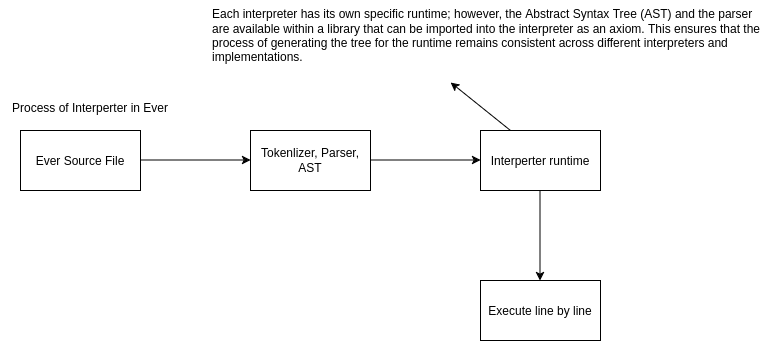
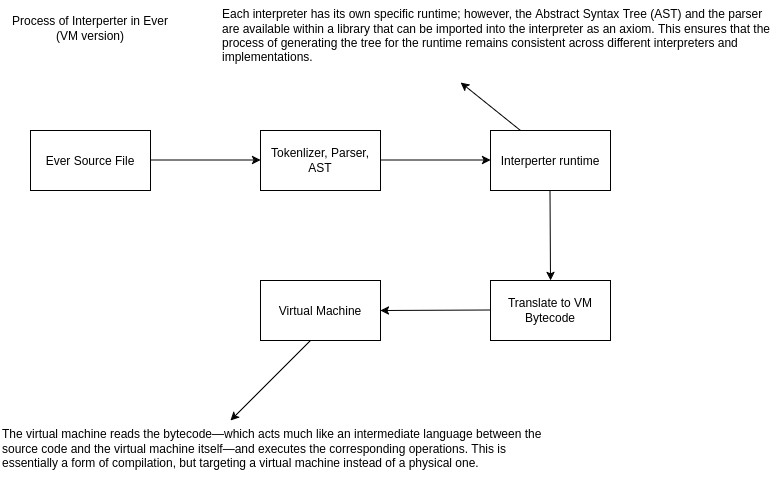
And for now, the chain looks something like what I’ve drawn below:
.png)


The language currently uses compile and tree-walking interpreter, but in the future, I plan to switch to VM bytecode instead, as it is faster and more efficient.
Ever is easy to read and understand thanks to its simple, well-defined components. With even a little programming experience, you can easily tell what a program does just by looking at its Ever code.
Ever aims to keep everyday programming simple and readable. Its syntax is designed to reduce boilerplate and let developers focus on what their programs do rather than on repetitive structure.
If you want to get familiar with the syntax and simplicity of Ever, take a tour of writing a graphical program in less than a minute .
With evrpkg, you can install or publish packages—such as libraries or applications—written for Ever. It works just like npm for Node.js.
~/ever/evrpkg$ ./evrpkg install @pouya:ever-test
Download @pouya:ever-test finished.
A simple test
Install progress finished, Done.
~/ever/evrpkg$ ./evrpkg ever-test
Hello world!
~/ever/evrpkg$
You can compile it yourself from Ever Github , and use it.