Evrpkg
A tool for installing and managing packages built with Ever.
How dose it work?
When you install a package, the index version on your system is first compared with the one on GitHub; if there is a difference, you receive a notification to update the index—though this is optional, and you can still continue using the existing index.
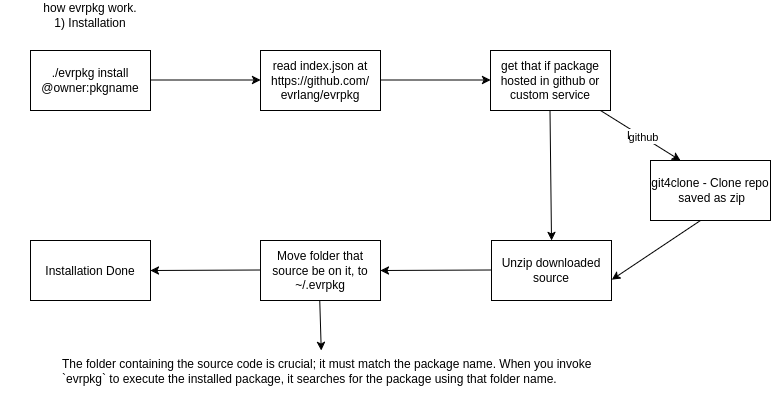
When you install a package, the system first checks the index to see if a package with that name exists. If it doesn't, an error is displayed. If it does exist, the source download link is checked; if the source is hosted on GitHub, it is downloaded as a ZIP (via git4clone), and then extracted.
Then, the downloaded package is moved to the `~/.evrpkg` directory, placed in a folder named after the package itself. Finally, a message indicating successful installation is displayed, and the package description is printed.